Now live on the Atlassian Marketplace

The Jira status report you didn't have to write.

Recap reads the work you already completed in the last 30 days and writes it up in plain English — grouped by epic, ready to paste into a status update, a 1:1, or a performance review. One click.

  • Runs on Atlassian
  • Stores nothing
  • One read-only permission
How it works

From completed work to a written report

No setup, no date pickers, no dashboard to babysit — Recap reads what's already true in Jira and writes it up.

1
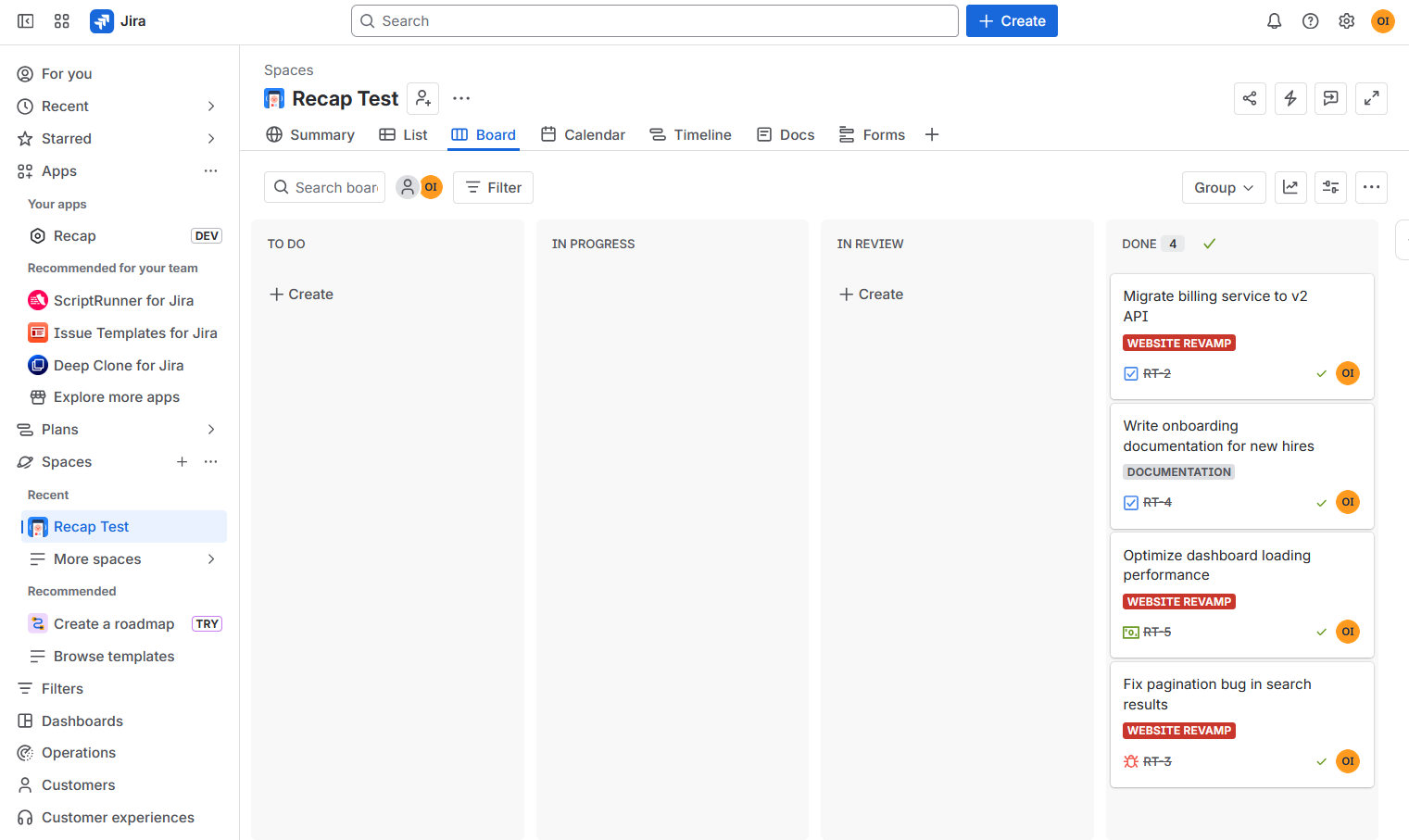
A Jira board's Done column showing four completed tickets.

You complete work in Jira

Nothing to change about how your team already works — Recap reads what's already there.

2
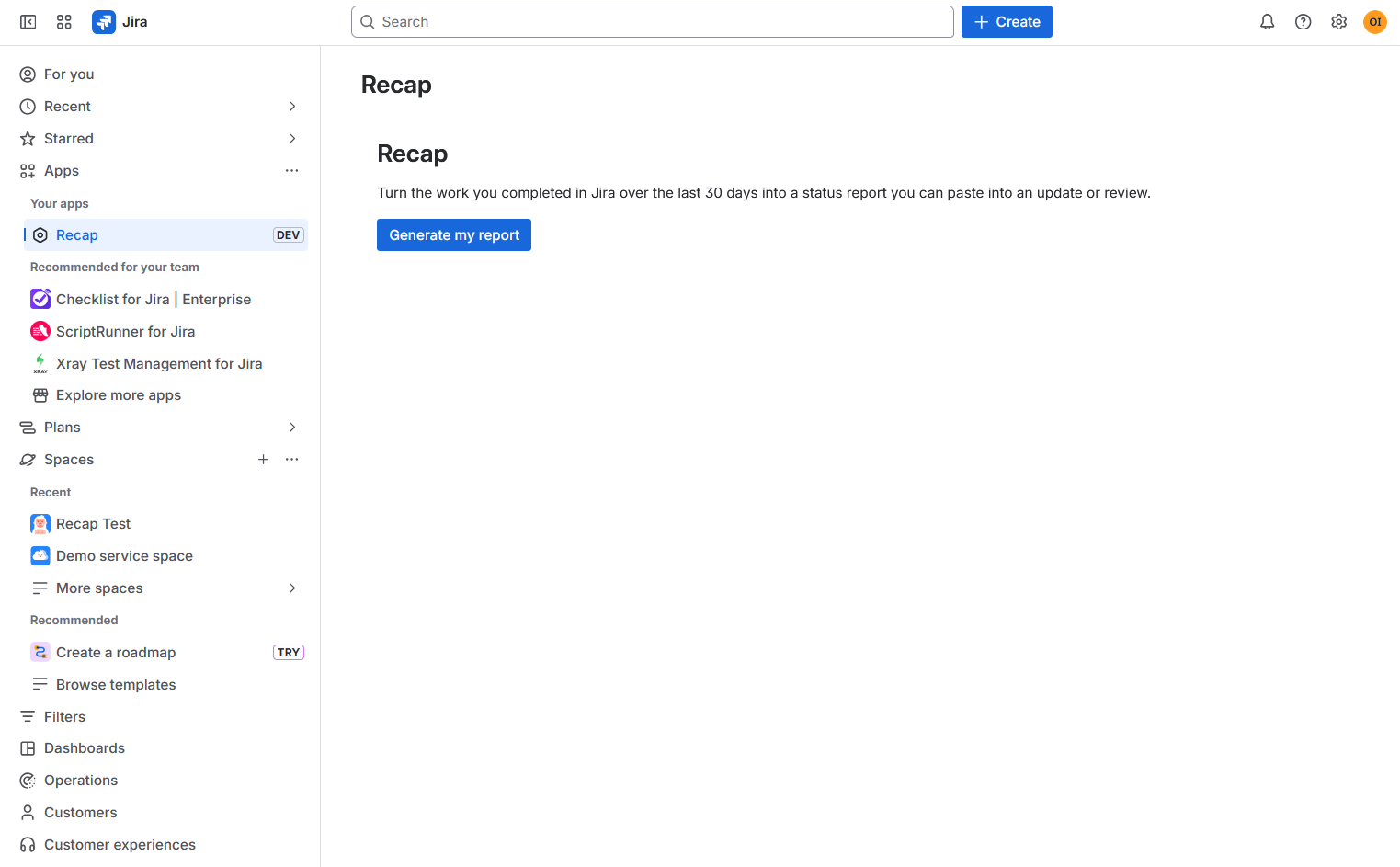
Clicking Generate my report inside Recap in Jira.

Click Generate my report

Recap gathers your completed issues from the last 30 days — no configuration needed.

3
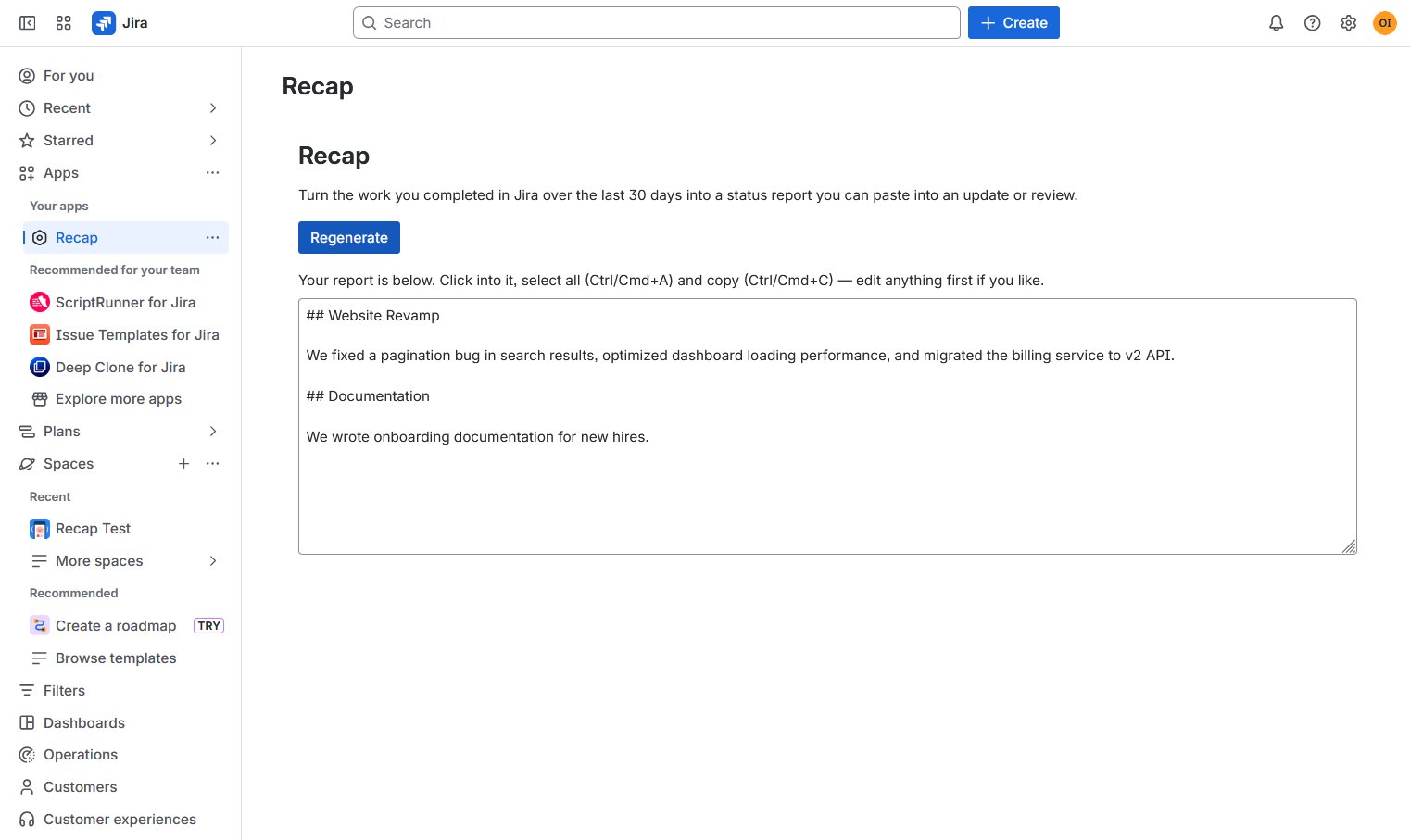
A finished status report generated by Recap, grouped by epic.

Copy your written report

Plain-language prose, grouped by epic, ready to paste anywhere your updates live.

Real data, real report

Your board already has the answer

This is an actual Recap report generated from an actual Jira board — nothing staged, nothing invented.

Your Jira board
Jira Done column with tickets: migrate billing service to v2 API, write onboarding documentation, optimize dashboard loading performance, fix pagination bug in search results.
Recap's report
Recap's written report describing the same four tickets in plain English, grouped by Website Revamp and Documentation.
Why it's built this way

Honest by default

No invented metrics, no third-party servers, no dashboard you have to maintain.

One click

No settings, no date range to pick. Generate my report, and you have a draft.

Nothing invented

The report reflects exactly what your issue titles say — no fabricated metrics or achievements.

Runs on Atlassian

Built on Forge, using Atlassian's own AI. Nothing calls out to a third-party server.

Stores nothing

No database, no history kept. Every report is generated fresh and returned to your browser.

FAQ

Questions people actually ask

Which work does Recap include?

Issues assigned to you that moved to a "Done" status in the last 30 days. The window is fixed at 30 days.

It says "Nothing completed in the last 30 days."

That means no issues assigned to you reached a Done status in that window. Recap won't invent a report — complete some work and generate again.

It showed a "Basic report" notice.

If the AI writer is momentarily unavailable, Recap falls back to a plain summary of your completed work so you're never left empty-handed. Try again in a moment for the written version.

Why does it group work under a project name instead of an epic?

Issues that aren't linked to an epic (no parent) are grouped under their project instead, so nothing is dropped.

What data does Recap access or store?

It reads only your completed issues' titles, epic or project, and completion date, using a single read-only permission — and it stores nothing. See the privacy policy for detail.

How do I copy the report?

Click inside the report box, press Ctrl/Cmd + A to select all, then Ctrl/Cmd + C to copy.

Stop writing status reports from scratch

Recap offers a free trial from the Atlassian Marketplace — install it on your Jira Cloud site and generate your first report in under a minute.